
Client follow-up
Flag what's still missing after the design meeting. We follow up with the client so you don't have to
After the meeting
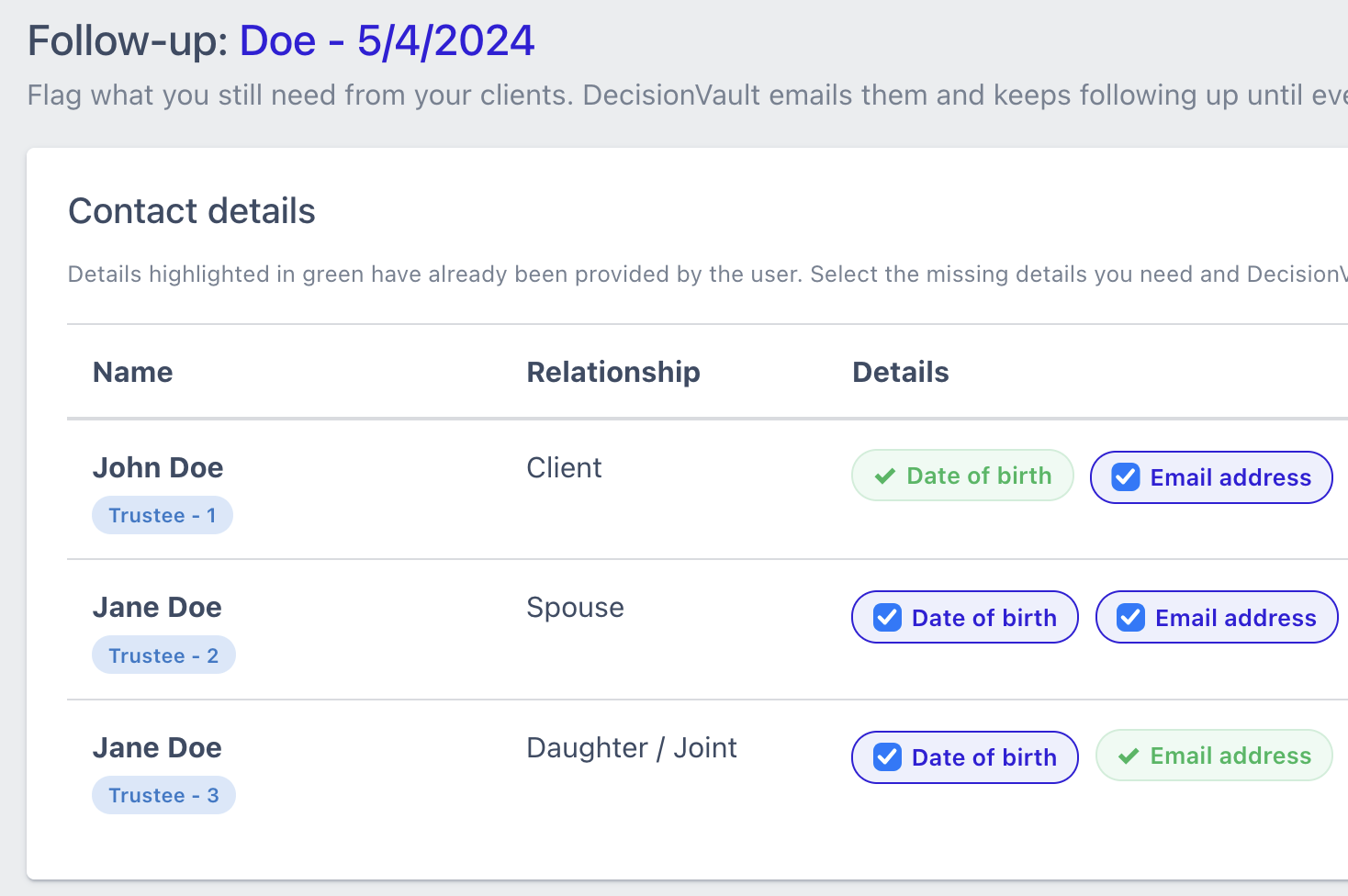
Flag what's missing, next to each person
After the design meeting it's clear what's still needed to draft the plan. Your staff tick the specific items next to each person on the matter: a son's date of birth, the successor trustee's address, a copy of the deed. Everything already provided shows checked off in green.
Automatic reminders
DecisionVault follows up until everything is provided
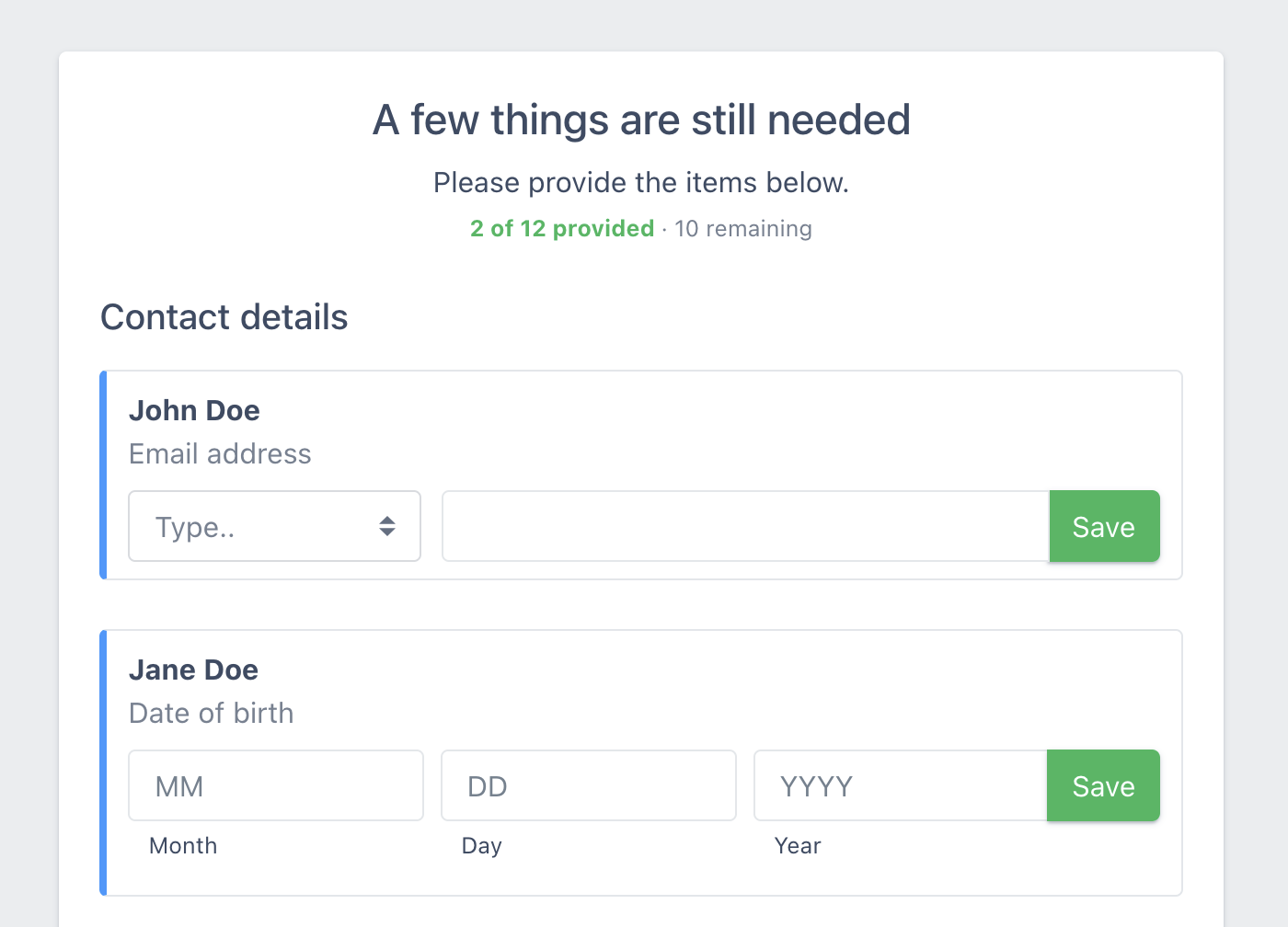
Once flagged, DecisionVault will email the client every few days to remind them that more details are needed. The link in the email opens a page with only the missing items, so they can provide them all in one go.
Once all the information is in, firm staff will get notified.
Part of the matter workflow
Track your matters
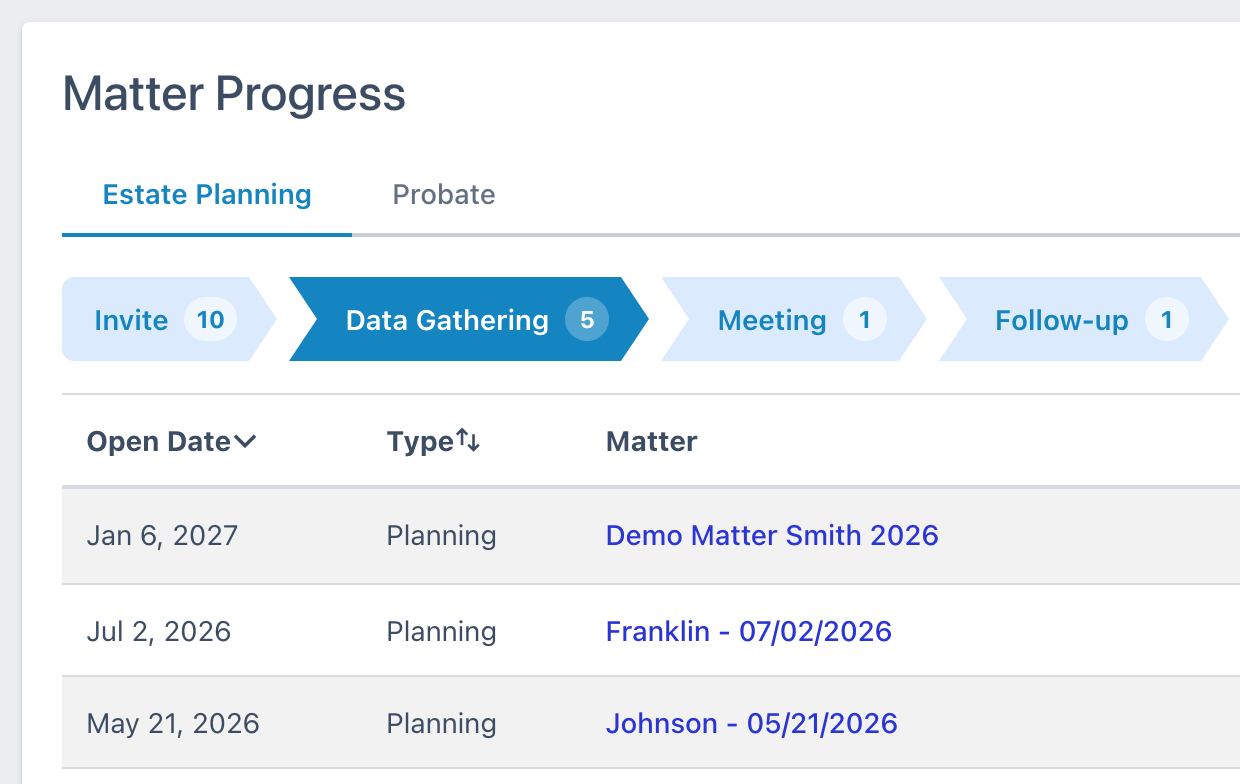
Client Follow-up is part of the matter workflow, where a matter goes through a number of stages from start to finish. This makes it easier for firm staff to find the matters that need attention.
Your workflows
Match workflows and stages to your firm's process
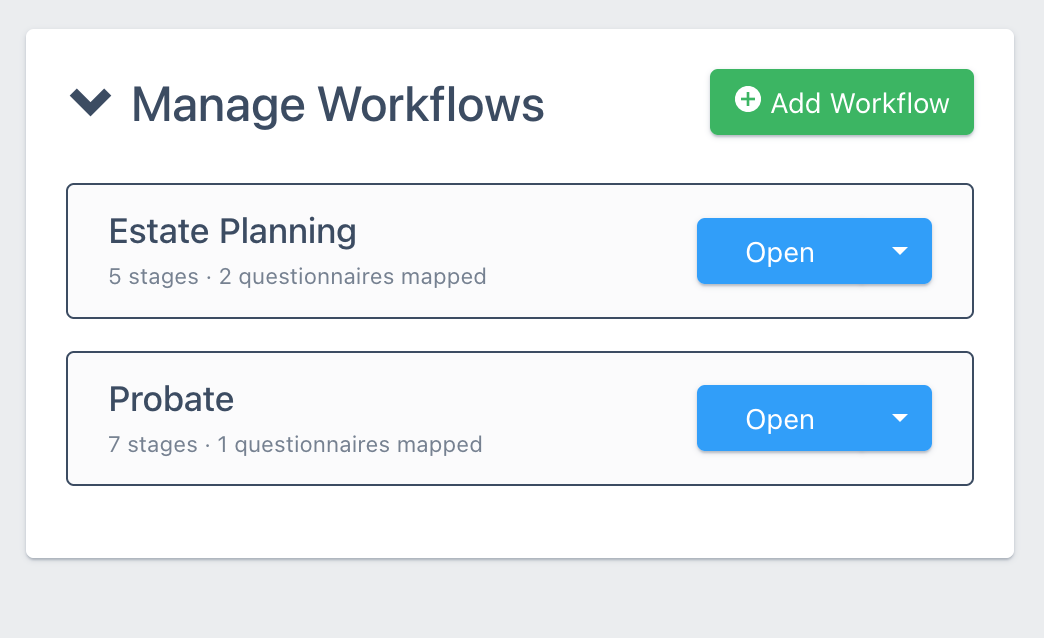
Add your own workflows and customize their stages, whether that's renaming them, adding a second meeting or adding a signing stage. Multiple questionnaires can be mapped to one workflow, so your English and Spanish estate planning questionnaires share one while probate has its own.
Frequently asked questions
What can we flag as missing information for follow-up?
In the follow-up matter stage it's possible to flag missing information on the matter that DecisionVault will automatically follow up on. You can select contact details for specific people, such as a date of birth, a phone number or an address, and document requests, such as a copy of the deed.
What does the client's reminder email say?
It has your firm logo at the top and states that a few more details are needed, with a count of contact items and documents and a link. It doesn't list the items themselves. Once the client clicks through they get to a specific screen where they are asked to fill in exactly what's missing.
Can we choose how often reminders go out?
No, DecisionVault spaces them every few days, timed for the best client response.
What if the client only provides some of it?
The next reminder asks again for only what's still missing.
Do reminders ever stop?
Yes. They stop when everything is in, after a set number of tries, or when the client uses the opt-out link. Your firm is told in each case, and anything still outstanding stays flagged for your staff to go through.
Can we see what was sent?
Yes. Each reminder is logged on the matter with the date it went out.
Can clients still update the rest of the questionnaire?
Yes. The full questionnaire stays open until you lock it for further edits.
Is follow-up tied to a workflow stage?
Yes. Follow-up is a stage in the matter workflow, after the meeting. Moving a matter into it is a manual step; only the invite stage advances by itself, when the client accepts the invite.
Can we customize the stages?
Yes, you can add, remove and rename them and each matter workflow can have up to 10 stages. You can build separate workflows, for example one for estate planning and one for probate.