
Financial intake
Insight into your clients' assets
Details can follow
Build the asset inventory one step at a time
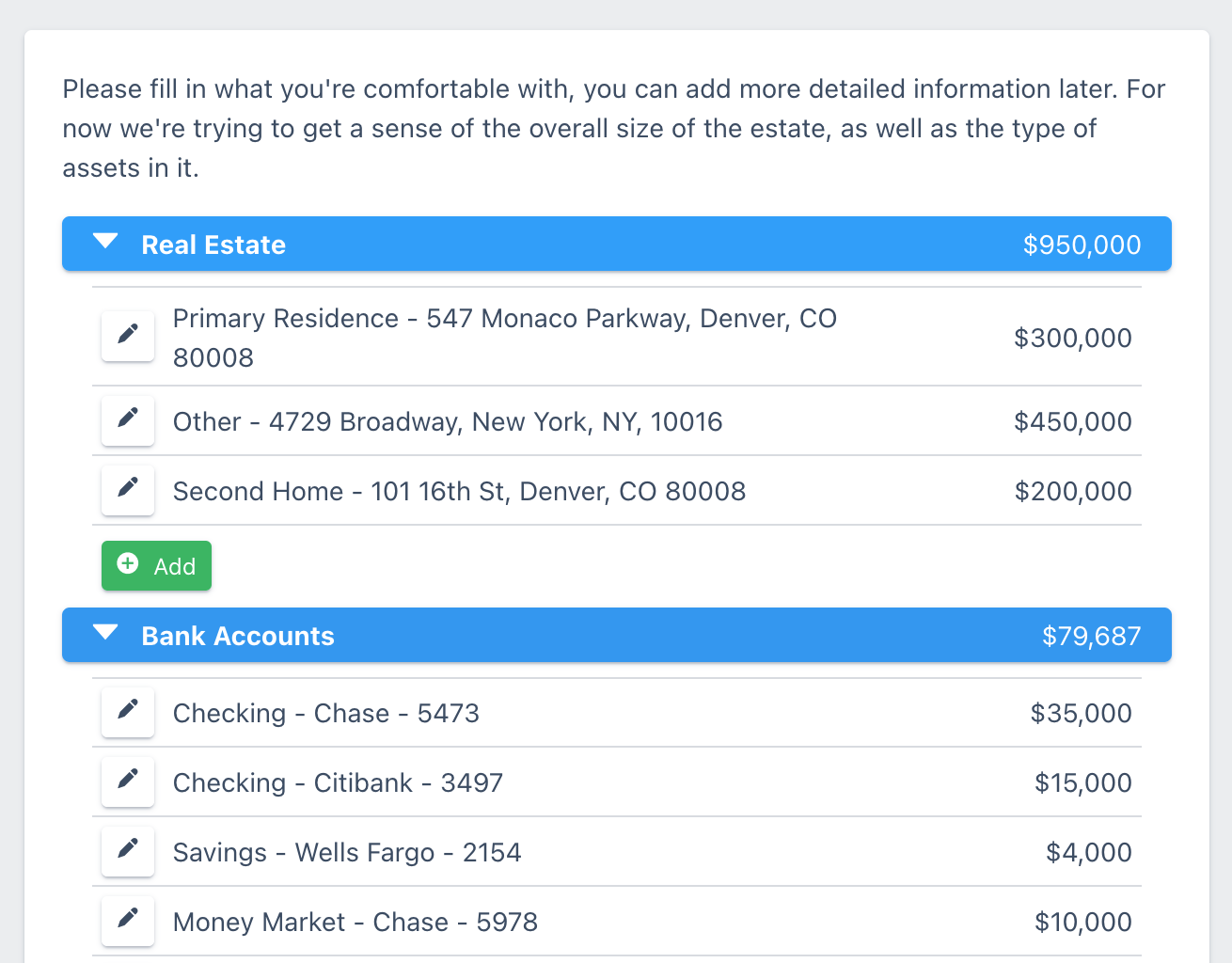
Clients fill in the asset inventory before they meet with you. Some will list every account with a balance. Others will add general information and hold the details back until they've talked to you. That's okay, they can come back later and add more detail and upload statements.
Excel overview
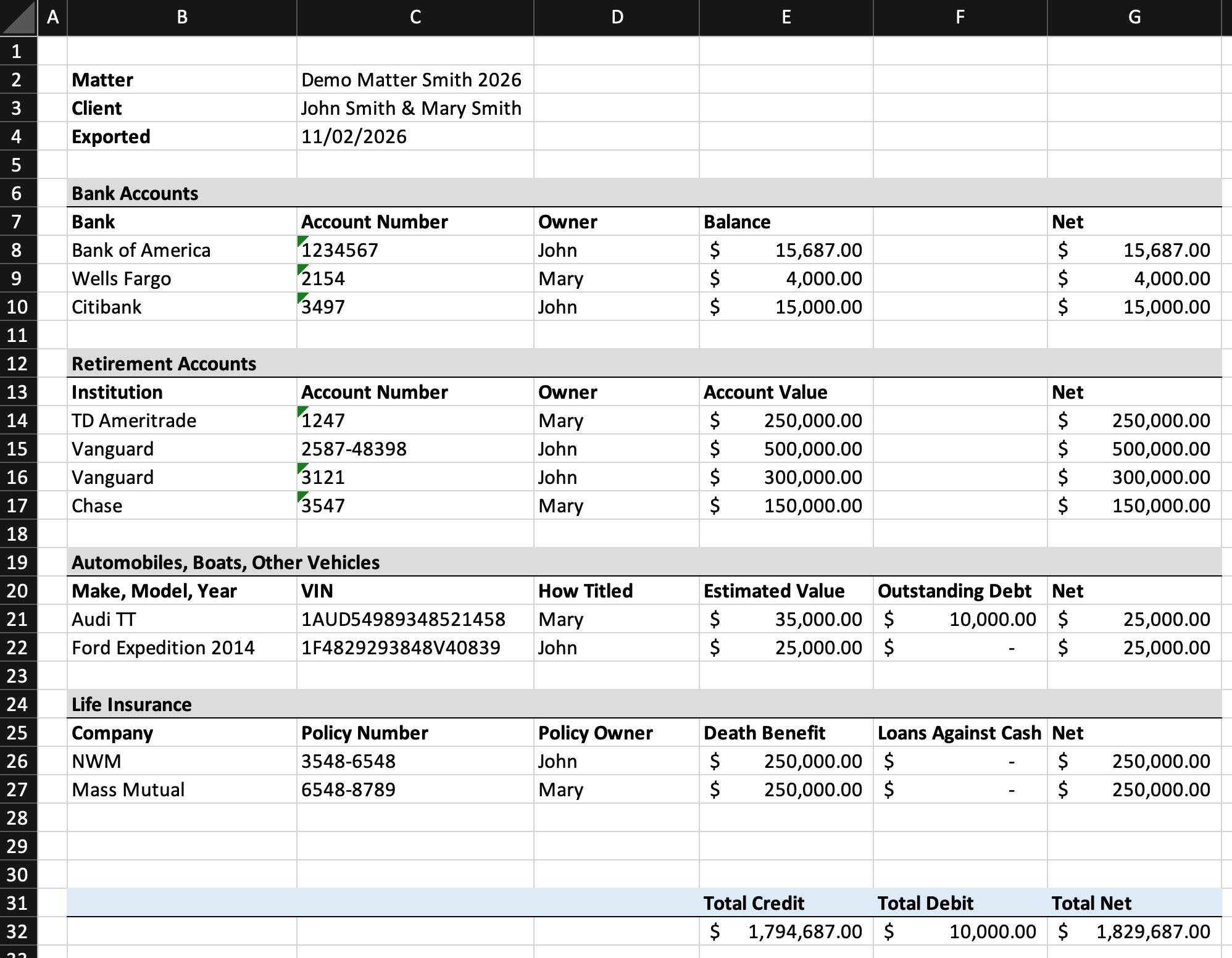
An easy-to-read asset overview at the touch of a button
Export the client's assets to a nicely formatted Excel sheet, with assets grouped by category and built-in formulas for totals and overall net worth. Stop building it by hand from messy client inputs.
Funding instructions
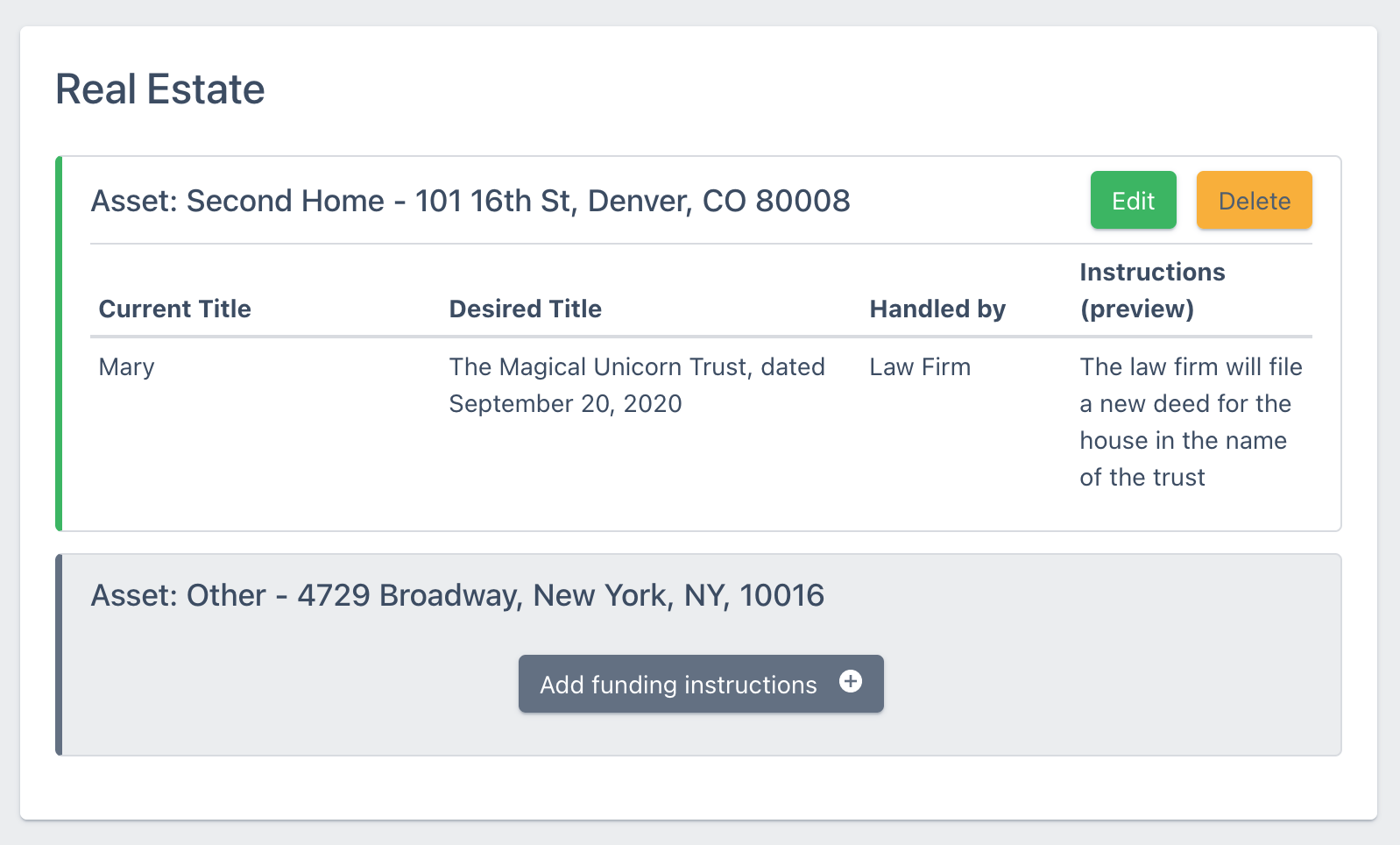
Use the asset information to create funding instructions
A dedicated screen lets you build up personalized funding instructions from the assets the client entered. Set up your instruction templates once, such as retitling a brokerage account or updating a beneficiary designation, then pick from them to build each client's instructions in minutes.
Customize
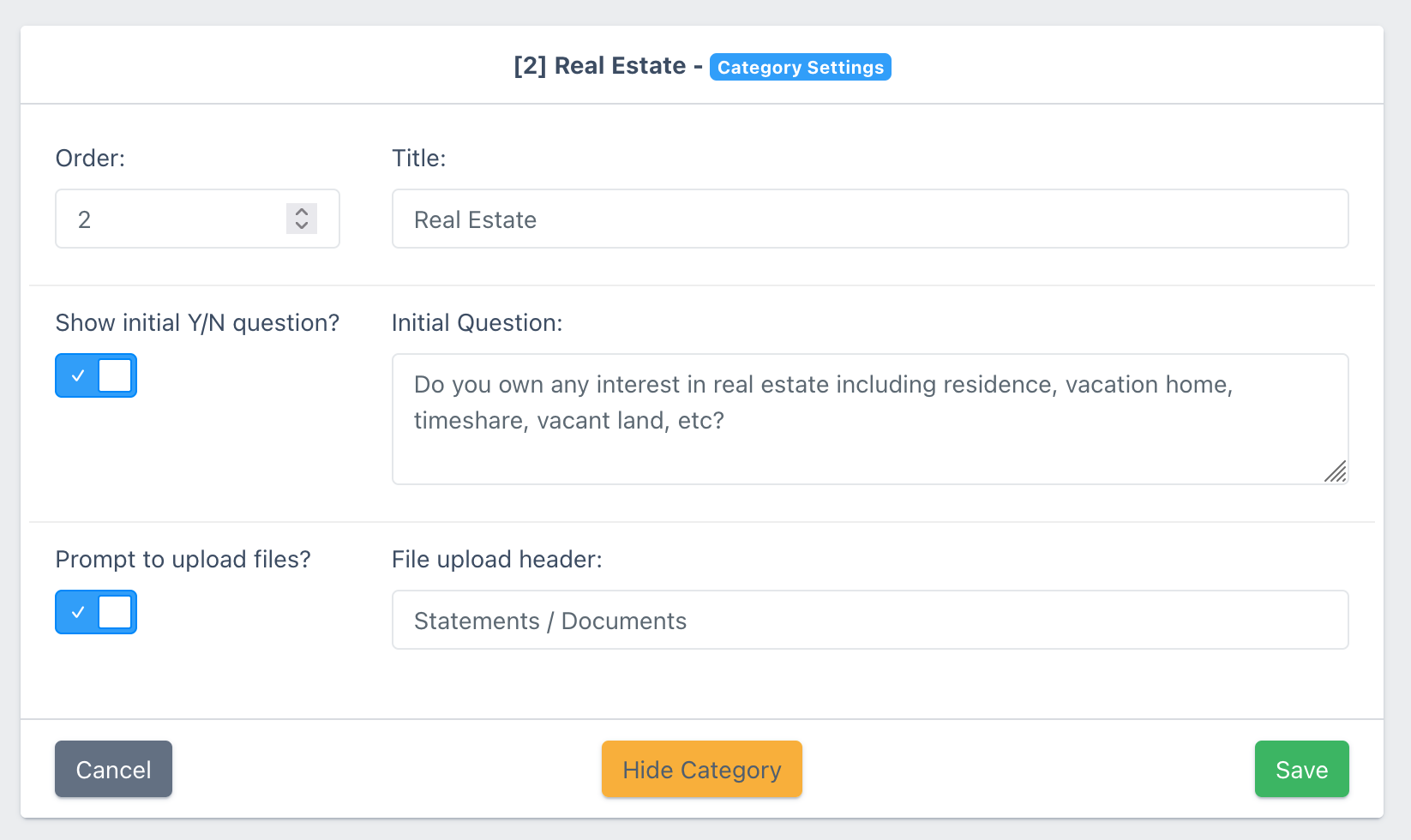
Customize the financial categories
The questionnaire comes with a strong default set of categories: real estate, bank accounts, retirement accounts, stocks and bonds, crypto, personal property and vehicles, and several more. Rename them, hide the ones you don't use, or add your own. You can let clients upload the statement or deed right alongside the asset it belongs to.
Frequently asked questions
What kinds of assets can clients enter?
Some of the default categories are real estate, bank accounts, retirement accounts, stocks and bonds, personal property, vehicles, crypto, and debts. You can fully customize the categories.
Do clients have to enter values?
No. Nothing in the financial intake is required. Many clients list "the house" and "a Chase account" first and fill in more detail after meeting with the attorney.
Can our staff add to it or correct it?
Yes. Staff can open the client's asset section and type into it directly at any time.
What's in the Excel export?
Every entry the client made, by category, with the owner, the value and the totals calculated, plus net worth. If income and expenses are turned on, they're included too on a separate worksheet.
Can clients export the overview themselves?
Yes, you can let clients export the financial sheet themselves. You can turn this on in the questionnaire settings.
Can clients upload statements?
Clients can upload files directly in-line with the financial information. You can request files on a per-category basis, and customize the text of the request.
Can we collect income and expenses?
Each questionnaire comes with both "asset & liabilities" and "income & expense" sections. By default the asset one is turned on and the income one is turned off, but you can turn it on for the questionnaires where it matters.